
If you’ve spent any time on social media or tech blogs lately, you’ve probably seen the endless debates about artificial intelligence. One side claims you need a paid subscription to accomplish anything meaningful, while the other insists the free version is more than enough for daily life.
So, what is the real story behind chatgpt free today?
OpenAI has quietly shifted its approach. While the company still reserves its top-tier, ultra-heavy reasoning models and unlimited video generation for paid subscribers, the free tier has evolved into a powerhouse productivity assistant. You no longer need to hand over your credit card just to get help with writing emails, analyzing spreadsheets, or generating images.
Whether you are a student drafting essays, a creator looking for content angles, or just someone who wants to ask quick questions without hitting a paywall, here is a complete, realistic look at what the free version of ChatGPT delivers right now—and where its boundaries lie.
What Comes Included in the ChatGPT Free Version?

Many people assume a free account gives you a stripped-down, useless chatbot. That used to be somewhat true years ago, but OpenAI’s strategy now gives free users access to flagship intelligence models with smart usage boundaries instead of total feature locks.
┌─────────────────────────────────────────────────────────┐
│              CHATGPT FREE FEATURES AT A GLANCE           │
├────────────────────────────────┬────────────────────────┤
│ Smart Engine Access            │ Included (with caps)   │
│ Real-Time Web Search           │ Included               │
│ Document & File Analysis       │ Included               │
│ AI Image Generation            │ Included (2-3/day)     │
│ Custom GPT Store Browsing      │ Included               │
│ Deep Research Tools            │ Limited / Restricted   │
└────────────────────────────────┴────────────────────────┘
Here is a breakdown of the primary tools accessible without spending a dime:
1. High-Level AI Models
Free accounts run on OpenAI’s core flagship intelligence engine. For everyday tasks—like rewriting a tricky email, brainstorming travel itineraries, or summarizing news—it performs with surprising nuance and speed.
READ MORE: What Is ChatGPT How to Use It, Pricing, and New Features
2. Live Web Searching
Unlike early versions of AI that were trapped in past historical datasets, the free tier connects directly to live web search. If you ask about current events, sports scores, or trending fashion styles, ChatGPT searches the internet and cites its sources in real time.
3. Data Analysis and Document Uploads
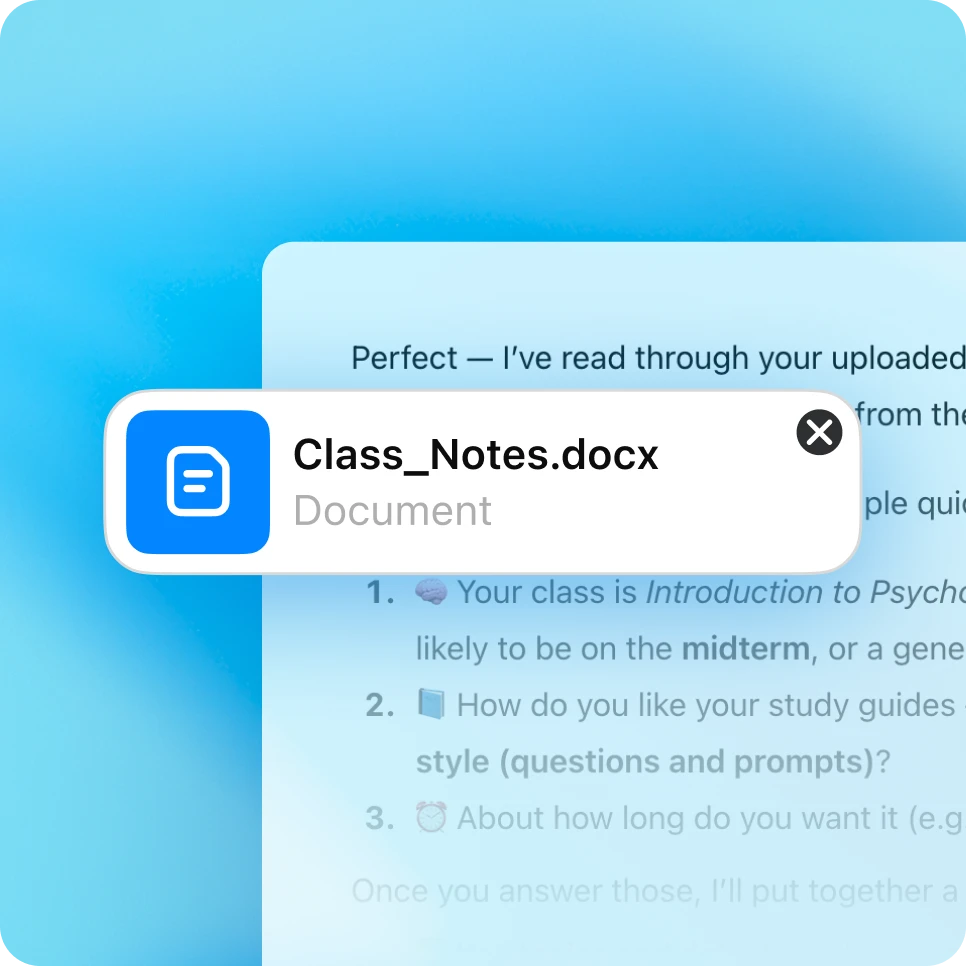
You can drag and drop PDFs, Word documents, and Excel spreadsheets directly into the chat box. The AI can summarize long contracts, pull specific stats from financial reports, or help you clean messy spreadsheet rows using background Python execution.
4. Image Creation
Free users can generate AI artwork and visual graphics. While you don’t get unlimited picture generation, the included allowance is plenty for quick blog graphics, social media posts, or phone wallpapers.
5. Custom GPTs
You can browse and use custom-built AI assistants in the GPT Store created by third-party developers. This includes specialized tools for coding assistance, writing feedback, and fitness planning.
Understanding the Free Tier Limits (Message Caps Explained)
Nothing in life is entirely unlimited, and OpenAI keeps server costs under control by placing “rate limits” on free accounts.
When you use chatgpt free, you are allocated a rotating message allowance on the primary model. Depending on global server traffic and time of day, free accounts generally receive around 10 to 15 high-level prompts every 3 to 5 hours.
                     ┌─────────────────────────┐
                     │   Start Conversation    │
                     └────────────┬────────────┘
                                  │
                                  ▼
                   ┌─────────────────────────────┐
                   │ Primary Model Prompt Cap    │
                   │ (approx. 10-15 msgs / 5 hrs) │
                   └──────────────┬──────────────┘
                                  │
             ┌────────────────────┴────────────────────┐
             ▼                                         ▼
   [Under Message Cap]                        [Cap Reached]
   Full Reasoning &                           Automatic Fallback
   Detailed Responses                         to Lightweight Engine
What happens when you hit the message cap?
You don’t get locked out of the website entirely. Instead, ChatGPT smoothly falls back to a lightweight, hyper-fast version (like GPT-4o mini or GPT-5.3 mini).
- The Difference: The lightweight model answers simple questions and drafts text almost instantaneously. However, it may struggle slightly with multi-step math problems, intricate coding, or deeply nuanced creative writing compared to the primary model.
- The Reset: A small timer will show in your chat window telling you when your primary high-powered message quota resets.
Free vs. Paid ChatGPT: Do You Really Need to Upgrade?
Deciding whether to stick with a free account or upgrade to a paid tier (like ChatGPT Plus at $20/month or ChatGPT Go at $8/month) comes down to your daily workflow.
Here is a quick side-by-side comparison to help you judge:
| Feature | ChatGPT Free ($0/mo) | ChatGPT Go ($8/mo) | ChatGPT Plus ($20/mo) |
| Primary Model Access | Basic quota (10-15 msgs / 5 hrs) | Expanded message quota | High priority quota (160+ msgs) |
| Lightweight Fallback | Unlimited | Unlimited | Unlimited |
| Image Generation | 2–3 images per day | 10–15 images per day | 50+ images per window |
| Web Browsing & Search | Standard access | Standard access | Deep Research Mode included |
| File Uploads & Analysis | Supported (capped) | Supported (higher cap) | Priority compute speed |
| Custom GPT Creation | View/Use only | View/Use only | Build & publish custom GPTs |
Bottom Line: If you rely on AI for your core 9-to-5 job (like software engineering, deep academic research, or non-stop visual production), paying for a subscription makes sense. But if you’re using AI for casual productivity, personal organization, or occasional creative drafts, the free tier is more than capable.
5 Practical Tips to Get the Most Out of Free ChatGPT
Because free accounts operate with message quotas, knowing how to structure your prompts will save you time and preserve your high-level messages.
┌─────────────────────────────────────────────────────────┐
│              FREE TIER MAXIMIZATION STRATEGY            │
├─────────────────────────────────────────────────────────┤
│ 1. Combine Prompts    ► Send all instructions at once   │
│ 2. Save Heavy Tasks   ► Use peak caps for complex math  │
│ 3. Offload Simple Text► Let mini-models draft emails    │
│ 4. Clear Context      ► Edit prompts instead of re-typing│
│ 5. Cross-Tool Blend   ► Pair with free Gemini/Claude    │
└─────────────────────────────────────────────────────────┘
- Batch Your Instructions into One PromptAvoid sending brief, fragmented messages like “Hi,” followed by “Can you help me write something?”, followed by “It’s an email.” Each message consumes your quota. Put your context, background, guidelines, and desired output format all in a single detailed message.
- Save Primary Messages for Complex ThinkingUse your high-level message quota for multi-step math, code debugging, or structural rewriting. When your account falls back to the lightweight model, use that time for simple text polishing, spellchecking, or quick brainstorming.
- Use the “Edit Prompt” ButtonIf ChatGPT misunderstands your direction, don’t write a brand-new reply. Hover over your original prompt, click the edit icon, adjust your wording, and resubmit. This helps keep your chat thread clean and focused.
- Summarize Long ConversationsWhen a chat thread gets extremely long, the AI has to re-read thousands of words of past history with every new message, which can trigger rate limits faster. If a project shifts focus, start a brand-new chat window.
- Combine with Other Free AI ToolsDon’t rely solely on one platform. If you hit your free ChatGPT limit, you can easily jump over to free tiers on Google Gemini or Anthropic’s Claude to finish your tasks without spending a dime.
How to Sign Up for Free (Step-by-Step)
Getting started takes less than two minutes and requires zero payment details.
- Visit the Web Portal: Head over to
chatgpt.comon your desktop or mobile browser. - Create Your Account: Click “Sign Up” and register using your email address, Google account, Apple ID, or Microsoft credentials.
- Verify Account: Follow the quick email verification prompt.
- Start Chatting: You’ll land straight inside the clean chat interface. You are ready to start typing immediately—no credit card or hidden trial required.
The Final Verdict
The free version of ChatGPT remains one of the best value offerings anywhere in digital technology today. OpenAI gives casual users access to top-tier machine learning models, live web search, document analysis, and visual generation without demanding a monthly subscription fee.
READ MORE: What Is Aelftech.com A Honest Guide Before You Use It
As long as you understand how the minor message limits work and structure your prompts efficiently, you can accomplish almost any everyday task completely free of charge.
FAQs
Is ChatGPT free forever, or is it just a trial?
ChatGPT offers a genuinely free, permanent plan. It is not a 14-day trial, and you will never be automatically charged or forced to enter a credit card to keep using it.
Do I need a credit card to register for a free account?
No. You only need an email address or a connected third-party login (like Google, Apple, or Microsoft) to create an account and begin chatting.
Does the free version have access to the internet?
Yes. Free accounts include real-time web browsing, allowing the AI to look up recent headlines, search live website pages, and provide current information with sources.
How many images can I make for free on ChatGPT?
Free accounts typically allow you to generate roughly 2 to 3 images per day. Once you reach that daily limit, image generation pauses until your quota resets the following day.
Can I use free ChatGPT on my mobile phone?
Yes. You can access ChatGPT through any mobile browser or download the official, free ChatGPT mobile app available on iOS and Android app stores.
For more updates visit: STORY VISTA